
Yes, AI can propose grades for Moodle assignments, and in our test it told a good answer from a nonsense one: a relevant essay got 100/100 and a banana bread recipe got 0/100. But two submissions prove very little about fairness on real coursework. Use AI grading as a draft a teacher approves, and test it on your own rubric first.
We ran this test for Digital Twin Leaders, whose Moodle 5.2 site uses DataCurso’s Assignment AI plugin. The client’s worry was simple: did the AI actually read the work, or did it give everyone full marks? Here is how we checked, what happened, and how to run the same test on your own site.
How AI grading works in Moodle
AI grading in Moodle comes from plugins. A plugin sends each submission, with the assignment brief and rubric, to a language model, and gets back a proposed grade and written feedback. Well-designed plugins keep a teacher in the loop: the proposal is saved as a draft, and a teacher approves, edits or rejects it before the student sees anything. Moodle’s AI framework arrived in Moodle 4.5, so an older site needs an upgrade first; our Moodle 5 upgrade guide covers the route.
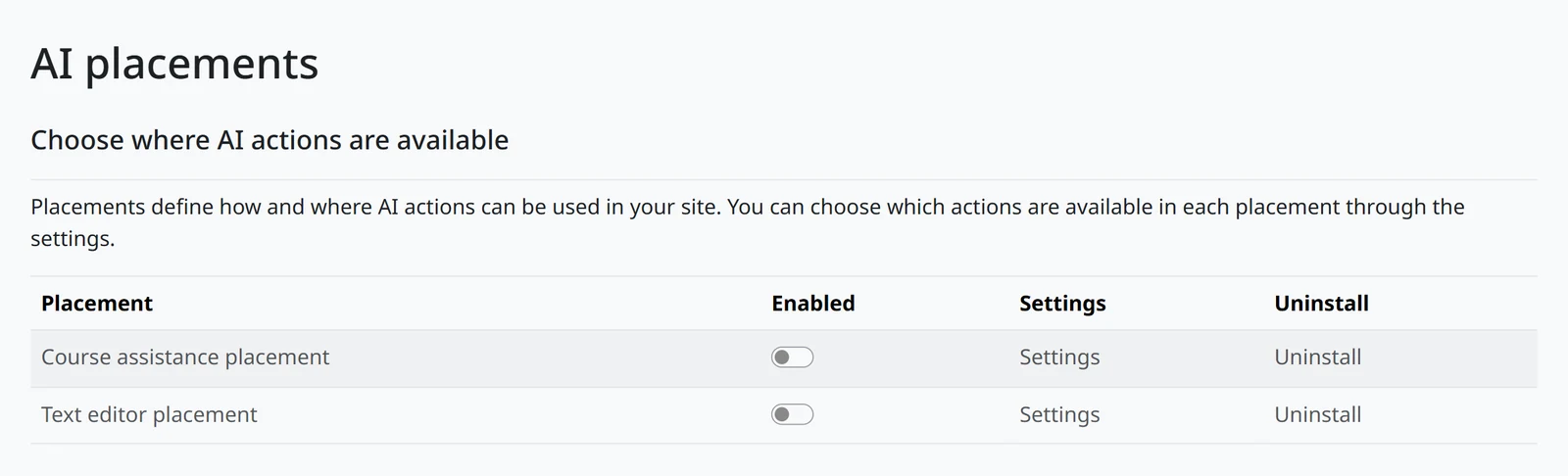
- DataCurso Assignment AI (local_assign_ai): reviews files or text against the brief or rubric; teachers save the feedback as a draft or approve and publish it. It needs the DataCurso AI Provider plugin and a licence.
- AI Grader Pro (local_aigrader): the model proposes a grade and structured feedback; the teacher reviews, edits and decides.
- GRAiDY (local_graidy): AI-assisted assessment whose own documentation says a qualified educator must make and verify every final grade.
Our test: a real answer and a banana bread recipe
We used one existing assignment: explain two practical benefits of digital twins and give a real-world example. Then we uploaded two PDFs against that same brief.
| Submission | Proposed grade | What the feedback said |
|---|---|---|
| A relevant answer on digital twins and predictive maintenance | 100/100 | Positive feedback on the topic and on the example it gave. |
| A banana bread recipe | 0/100 | Identified it as a recipe that did not address digital twins, and asked for resubmission. |
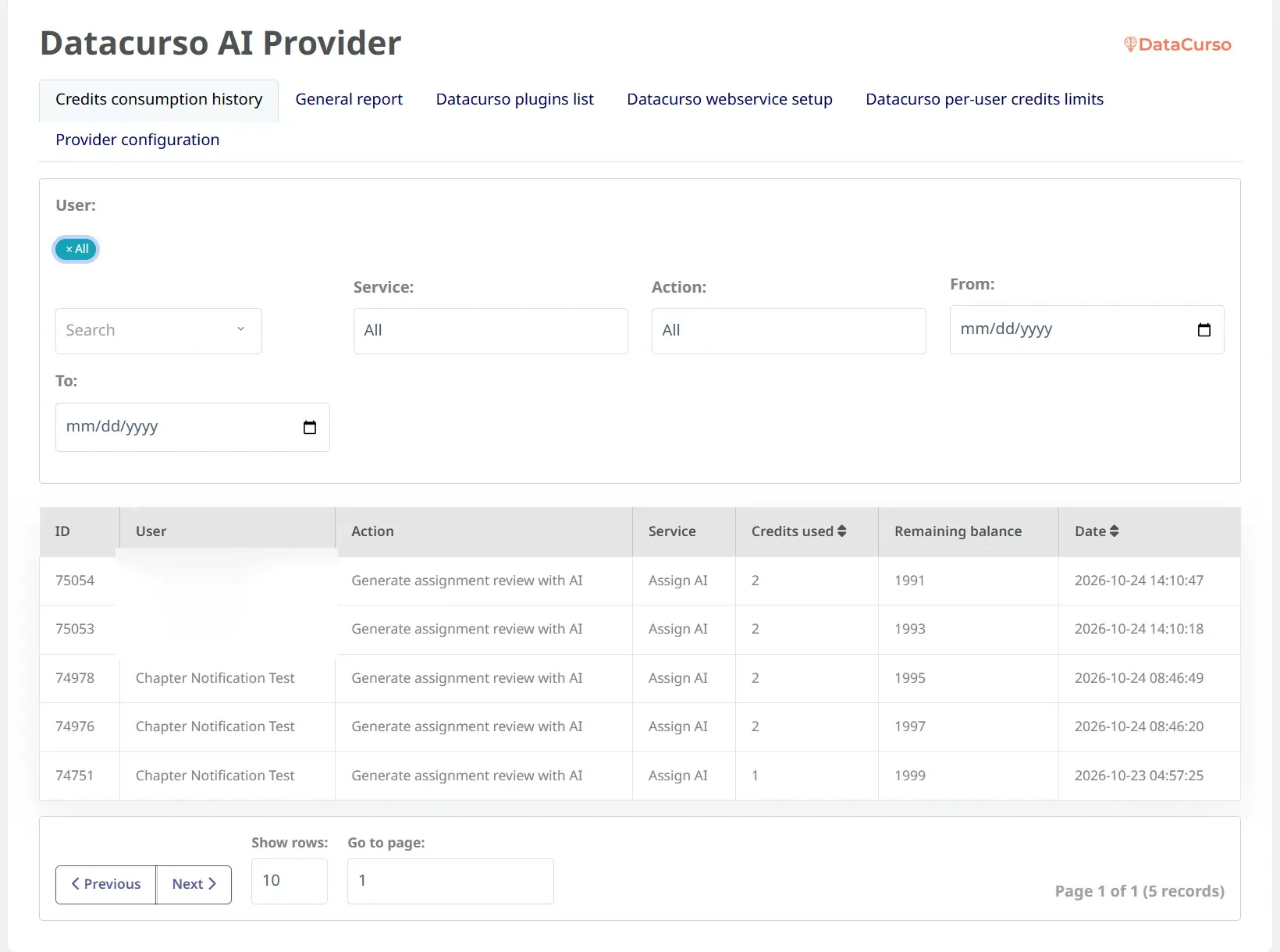
Both results stayed as proposals waiting for teacher approval; neither went to the gradebook on its own. The DataCurso provider’s usage log recorded each review with the credits it used, which is also how we confirmed the plugin was really calling the AI service.
What the test proves, and what it doesn’t
It proves the tool reads the work and separates on-topic from off-topic answers for this assignment. It doesn’t prove the grades are fair across a class, consistent between similar answers, or right for partial work, which is where real grading gets hard.
“AI scores showed no linear correlation with human scores, and the AI was harsher on average: a mean of 59.95 against 80.53 for human markers.”
That study used a different tool and subject, but it shows why a demo isn’t enough. An AI grader can look convincing on easy cases and still disagree with teachers on the ordinary ones.
How to test AI grading before you rely on it
- 1.Pick a real assignment with a real rubric. The AI is only as good as the brief and criteria it reads.
- 2.Prepare five submissions: a strong answer, an average one, a partial one, an off-topic one and an empty or near-empty file.
- 3.Have a teacher grade them first, without seeing the AI’s proposals.
- 4.Run the AI and compare: the order of the grades, the gap from the teacher’s marks, and whether the feedback is specific.
- 5.Try a borderline case twice to see whether the grade stays the same between runs.
- 6.Keep teacher approval on for real courses, and check the usage log so you know what each review uses.
Moodle AI grading questions
Is AI grading built into Moodle?
AI grading comes from plugins such as DataCurso Assignment AI, AI Grader Pro and GRAiDY. Moodle’s own AI tools connect to providers for features like summarizing and generating text.
Can students see AI grades straight away?
Not with a well-set-up plugin. In our test both proposals waited for teacher approval, and the student would only see a grade once a teacher published it. Check that setting before you switch the plugin on.
Does an AI grader give everyone full marks?
It shouldn’t, and you can check. In our test a banana bread recipe submitted for a digital twins assignment got 0/100 with feedback explaining why. Always include an off-topic submission when you test.
Should AI grades replace teacher grading?
No. Use AI proposals to speed up feedback, and keep a teacher responsible for the final grade. Test on your own rubric first, because accuracy on easy cases says little about ordinary work.
Planning AI features in your Moodle? We set up and test AI plugins as part of our Moodle integration work, so you know how they behave before your students do.
Related serviceMoodle IntegrationsSSO, payments, BigBlueButton, Zoom and SCORM. Written byMuhammad AhmadFounder & Software Engineer at StackStead Solutions. Building for the web since 2020.Ask a question