
Moodle integrations that connect it all.
Single sign-on, payments, live classes on BigBlueButton, Zoom or Google Meet, SCORM content and e-commerce enrolment, connected to Moodle properly.
What are Moodle integrations?
Moodle integrations connect Moodle to the systems around it. The most common are live classes (BigBlueButton, Zoom, Microsoft Teams), single sign-on (Google, Microsoft, SAML, LDAP), payments (PayPal, Stripe, WooCommerce), content (SCORM, H5P, LTI), plagiarism checks (Turnitin) and business systems such as Salesforce and HubSpot through web services. Some are built in, some are plugins and some need custom code. We built a three-phase BigBlueButton integration for INISEG’s Moodle 5.2 platform.
Moodle rarely works alone. We connect it to the systems around it, so learners sign in once, pay without friction and join live classes in one click.
Everything Moodle connects to.
Pick an integration to see where it shows up for learners.
Learners sign in once with the account they already have.
22 Moodle integrations, by type.
Built in means it ships with Moodle. Plugin means it comes from the Moodle plugins directory, so we check it supports your version first. Custom means we build it.
Live classes
- BigBlueButtonBuilt in
- Moodle’s own live-class activity, with scheduling, recordings and grades. It needs a hosted or self-hosted server.
- ZoomPlugin
- A maintained plugin that adds Zoom meetings to courses as activities.
- Microsoft TeamsPlugin
- Connected through the Microsoft 365 Integration plugin, alongside your Microsoft accounts.
- Google MeetCustom
- The directory plugin stopped at Moodle 4.2, so current sites need a custom activity or scheduled links.
Sign-in and accounts
- Google and Microsoft loginBuilt in
- OAuth 2 sign-in, so people use the work or school account they already have.
- SAML 2 single sign-onPlugin
- For identity providers such as Microsoft Entra ID and Okta.
- LDAP and Active DirectoryBuilt in
- Sign-in and account sync with your directory server.
- CAS and ShibbolethBuilt in
- Campus single sign-on, common at universities.
Payments and sales
- PayPalBuilt in
- A payment gateway that works with enrolment on payment, so learners pay and join a course.
- StripePlugin
- A payment gateway plugin for card payments on paid courses.
- WordPress and WooCommercePlugin
- Edwiser Bridge syncs users and sells Moodle courses through a WooCommerce store.
- Custom online storeCustom
- A store that enrolls buyers automatically, like the e-commerce connection we built for INISEG.
Content and tools
- SCORMBuilt in
- Package-based courses from authoring tools, with tracking.
- H5PBuilt in
- Interactive content made and played inside Moodle.
- LTI toolsBuilt in
- The standard for connecting outside learning tools, and for sharing courses with other LMSs such as Canvas.
- Google Drive and OneDriveBuilt in
- File sources for teachers adding documents to courses.
- AI providersBuilt in
- Moodle’s AI subsystem connects to providers including OpenAI, Azure AI and Ollama.
- TurnitinPlugin
- Plagiarism checks on assignment submissions, with similarity reports teachers open from the grading page.
- BadgesBuilt in
- Open Badges that learners earn in courses and can add to a backpack outside Moodle.
- Calendar exportBuilt in
- A calendar feed that puts course deadlines and events in Google Calendar or Outlook.
Business systems
- CRM, HR and student systemsCustom
- Systems such as Salesforce or HubSpot connect through Moodle’s REST web services and a local plugin.
- Mobile appBuilt in
- The web services behind the official Moodle app, for learning on phones.
From first call to live.
4 steps, one team. You approve the scope and design before we build.
- Before the quoteDiscover
Systems, data and sign-in flows, then a quote.
- Before any codeDesign
Data flows and learner journeys agreed.
- BuildBuild
Integrations built and tested on staging.
- After launchLaunch
Go-live, monitoring and a month of bug fixes.
Tell us about your project and get a written quote with the scope and timeline before any work starts.
Featured work.
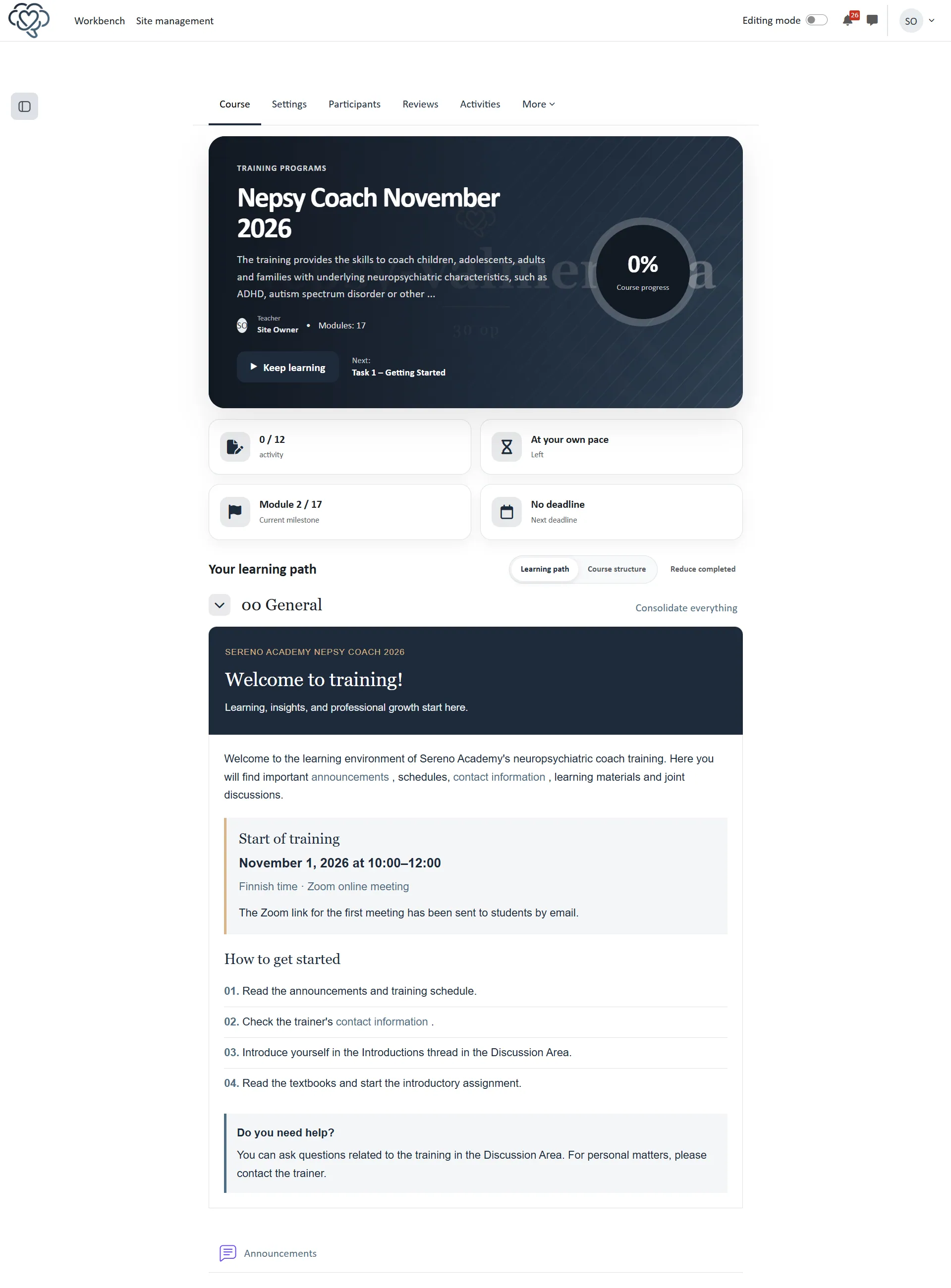
Fifteen projects and counting for INISEG in Spain: a branded Moodle 5.2 campus, BigBlueButton live classes with attendance tracking, a content hub, a resources portal and the tools around them.
Moodle 5.2 campusBigBlueButton attendanceLaravel content hubCustom plugins“[They] understood our needs very well and implemented the changes quickly.”

Live projects, and counting.
Websites, online stores and platforms for businesses in 20+ countries. Browse them all, filtered by industry and platform.
See all recent work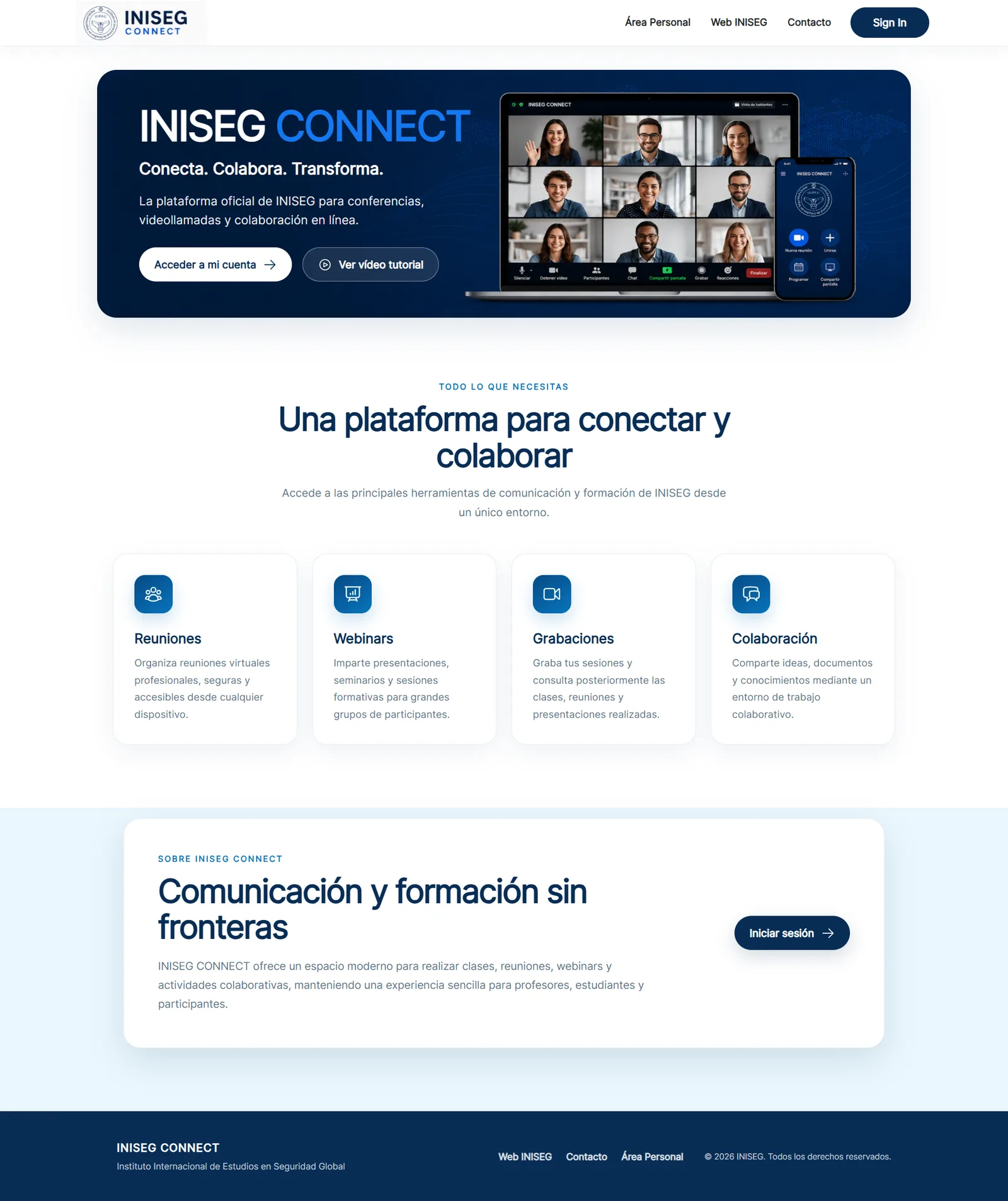





Planning Moodle Integrations?
Three taps and your brief is half written. No email needed until you choose to send it.
Check it yourself first.
Free, no sign-up: the same checks we run before quoting.
Read this first.
What we’ve written on this, from real projects.
Moodle Integrations FAQs
Moodle ships with BigBlueButton live classes, Google and Microsoft sign-in, LDAP, CAS and Shibboleth, the PayPal payment gateway, SCORM, H5P, LTI, Google Drive and OneDrive, badges, calendar export and AI providers. Zoom, Microsoft Teams, Stripe, SAML 2 and Turnitin come as plugins.
Yes. BigBlueButton live classes were the first part of the Moodle platform we built for INISEG in Spain, delivered in three phases.
Yes. We set up paid enrolment through a payment gateway, or connect an online store so buyers are enrolled in their course automatically.
Yes. Single sign-on lets learners use the account they already have, so they don’t manage a separate Moodle password.
Usually with a link and single sign-on: your website stays as it is, and visitors move to Moodle without logging in again. A plugin such as Edwiser Bridge can also sync WordPress users and sell courses through WooCommerce. For anything deeper, your site talks to Moodle through its REST web services.
Install the Zoom meeting plugin from the Moodle plugins directory, connect it to your Zoom account, then add meetings to courses as activities. We check that it supports your Moodle version first, and test it on a staging copy.
Yes. The Microsoft 365 Integration plugin connects Moodle to your Microsoft accounts and services, and Moodle’s built-in OAuth 2 sign-in lets people log in with a Microsoft account. OneDrive is also available as a file source in courses.
Yes. Moodle’s REST web services let other systems read and update users, courses and enrolments. When a system needs something those services don’t cover, we add it with a local plugin, so your Moodle core stays untouched and upgrades stay simple.
They can, because plugins must support the new version. Check them before you upgrade: our free Moodle plugin compatibility checker shows which versions each plugin supports, and we test every integration on a staging copy first.
Often paired with.
Most projects need more than one service. These are the ones clients most often add.