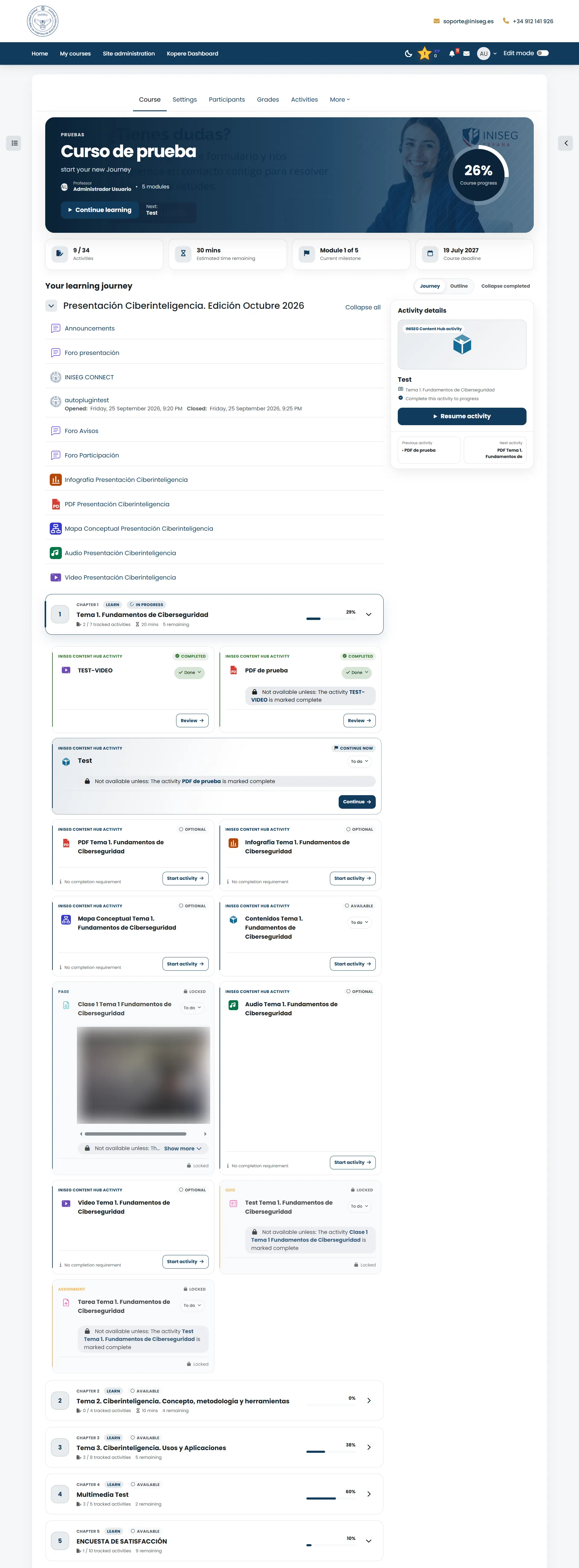
One SCORM library, every Moodle course.
We built INISEG a central SCORM repository for Moodle: a Laravel content hub for SCORM, video, audio and PDFs, plus two Moodle plugins that place any resource in any course with tracking, gradebook scores and course import intact.
INISEG reused the same SCORM packages, videos and PDFs across many Moodle courses, uploading a new copy each time. We built a standalone Laravel Content Hub and two custom Moodle plugins, so any course adds a hub resource as a normal activity that stores a reference, not a copy. SCORM scores reach the Moodle gradebook, and course import now works: tested on a course with 23 hub activities.
The same course content, uploaded again and again.
INISEG, the Instituto Internacional de Estudios en Seguridad Global, teaches many programs that share material: interactive SCORM packages, recorded lectures, audio lessons, PDF readings, infographics and concept maps. Moodle stores files one activity at a time, so every course that reused a resource needed its own upload, and every update meant hunting down every copy. INISEG needed a separate platform to store learning resources and make them available to any Moodle course, without disrupting the familiar experience for teachers and students. Because INISEG already used Moodle, preserving its course structure and teaching workflows was essential, so we extended Moodle instead of replacing it.
- A central place to store digital learning resources.
- Support for SCORM, video, audio, PDFs and infographics.
- Direct integration with the existing Moodle LMS.
- Repository content added as activities inside Moodle courses.
- External content delivery without repeatedly uploading files to Moodle.
- Student progress, completion and grading where relevant.
- Reuse of the same content across many courses.
- Compatibility with Moodle course import and duplication.
Moodle’s content bank and SCORM settings weren’t built for this.
Moodle has a few ways to reuse content, and none fit. The built-in content bank only handles H5P, and sharing across courses depends on context and permissions. The SCORM activity can fetch a package from a URL or repository, but it still unpacks a separate copy for each activity. Commercial content-dispatch services put the library on someone else’s platform. INISEG needed its own library, on its own infrastructure, serving many formats and connected to Moodle as a first-class citizen.
A content hub, a connector plugin and an activity plugin.
We separated where content lives from where learning happens. The Content Hub is a standalone Laravel and PHP application on MariaDB, the single source for learning resources, each with an identifier, version, content type and metadata so Moodle can always locate the right one. local_contenthub, a Moodle local plugin, is the integration layer: it talks to the hub’s REST API to retrieve resource information, launch content, manage resource relationships and create the matching Moodle activities. mod_contenthub, a Moodle activity module, puts a hub resource in the course next to assignments, quizzes and forums, storing a reference and its settings rather than a copy. Moodle never becomes the main store for the media; it asks the hub whenever content is needed.
- SCORM packages: interactive content that reports assessment and completion.
- Videos: lectures and multimedia training.
- Audio: audio-based learning resources.
- PDF documents: readings, study materials and supporting documents.
- Infographics: visual educational content.
- Concept maps: visual maps of topics, processes and concepts.
- Other multimedia delivered through the same integration.
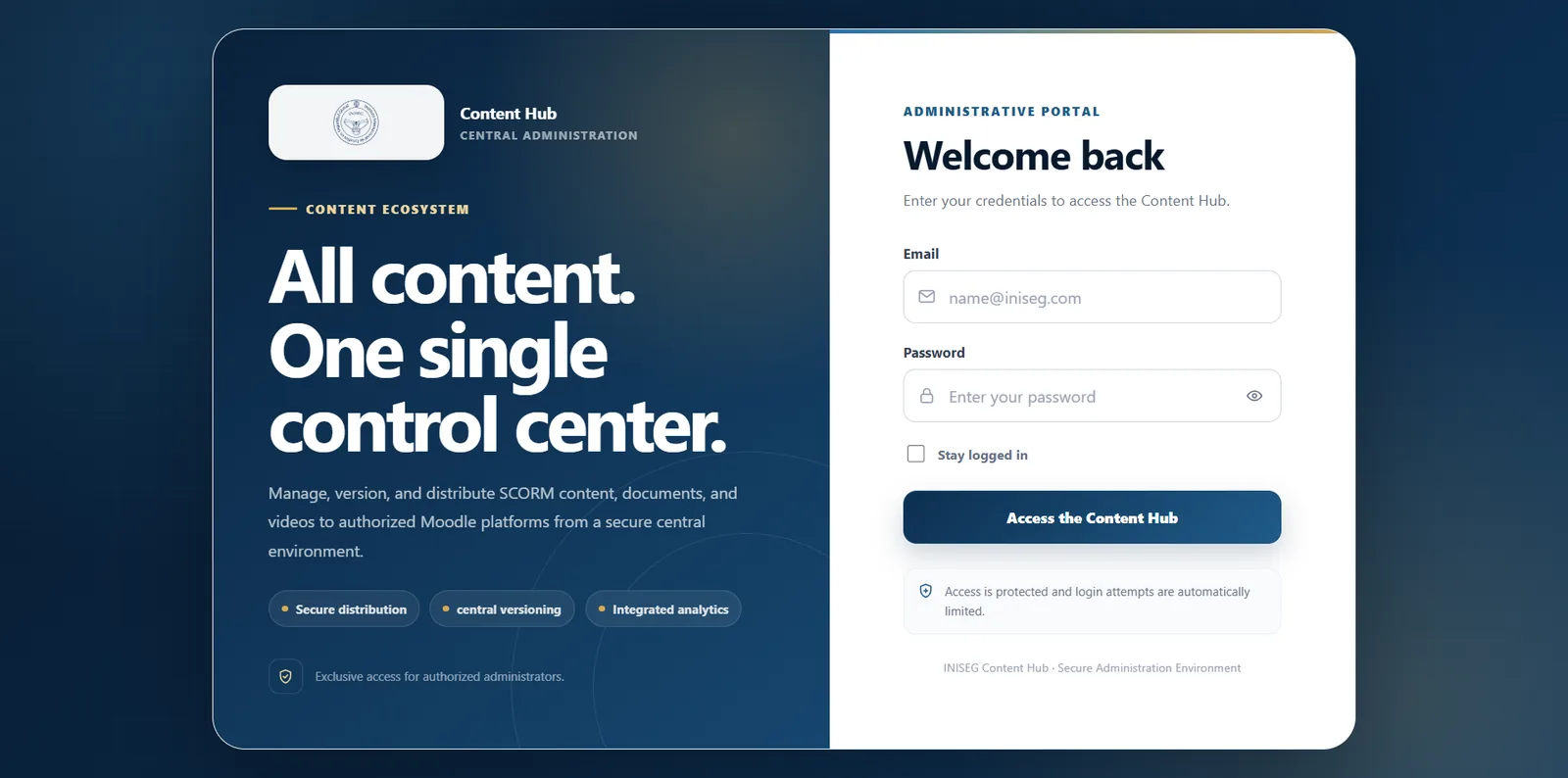
How the integration works, step by step.
For teachers it is simple: pick a resource and add it as an activity. Students open it from their usual course page with no separate login or library to browse, and when a resource improves in the hub, every course that references it gets the improved version with nothing to re-upload.
- Content is stored in the hub: each SCORM package, video or PDF is a centrally managed resource with its own identifiers.
- The resource is linked to a course: a teacher or administrator creates an activity for it, the connector fetches its details through the API, and Moodle saves the reference, not a copy of the file.
- Students open it in Moodle: they select the activity in their normal course and the content is delivered from the hub through the integration.
- Learning data is processed: SCORM sessions, progress, scores and completion are handled, and engagement with other media is recorded for the right learner and activity.
- Moodle keeps managing the course: course structure, enrollment, activities, grades and completion stay in Moodle.
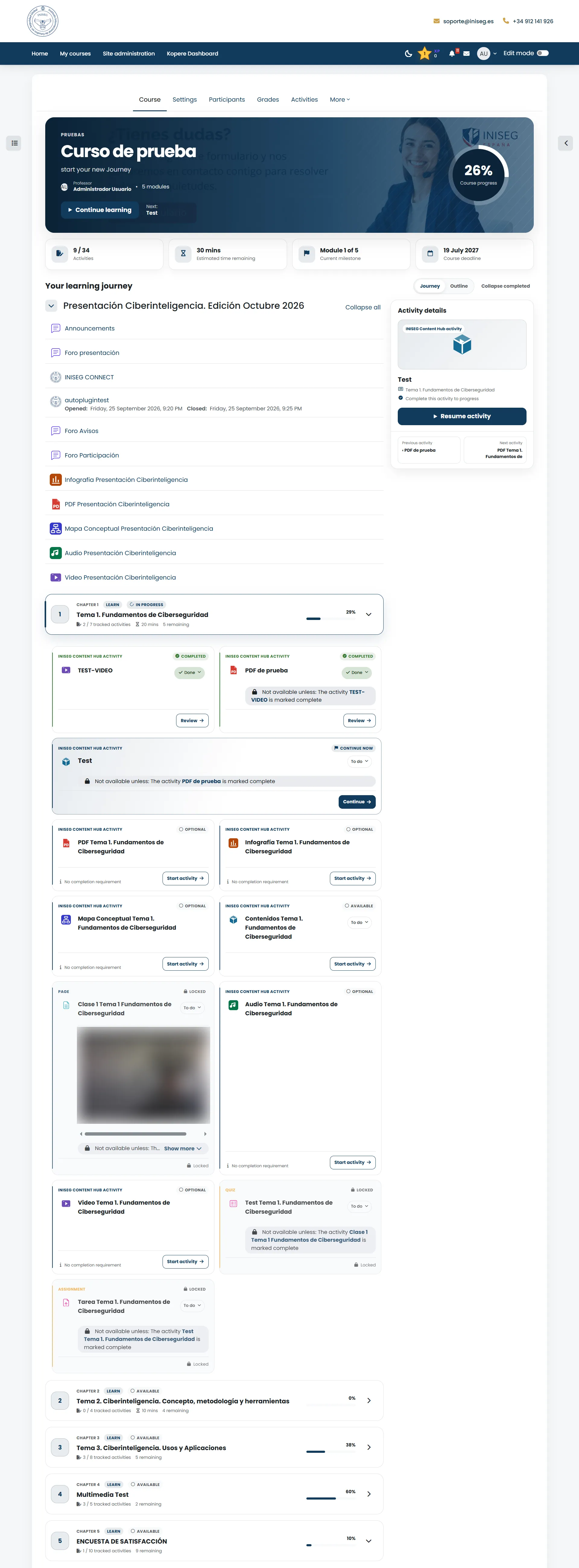
Externally hosted SCORM that still reports progress and scores.
SCORM packages are not ordinary files: they report attempts, completion status, scores and runtime values, so simply displaying one is not enough when an institution needs to track performance. Our integration opens a learning session through the hub’s SCORM runtime, processes runtime updates as the student progresses, keeps the relevant progress in the Moodle activity and writes assessment scores to the Moodle gradebook. Every record is tied to its Moodle course and activity, so when the same package is used in two courses, each keeps its own learner history while both share one copy of the content. For supported media resources, the hub also records engagement against the right learner and activity.
One resource, many courses, no duplicate copies.
Content reuse is one of the biggest advantages of this architecture. Without a central repository, an institution running several programs with the same material uploads and maintains a separate copy in every course. With the Content Hub, the original stays in the repository and each Moodle activity references it, so one resource can serve many courses without being duplicated. That cuts unnecessary copies and gives INISEG one consistent way to manage reusable learning assets across all its programs.
- Course A, Introduction to Cybersecurity: an activity linked to the shared resource.
- Course B, Information Security Fundamentals: an activity linked to the same resource.
- Course C, Advanced Security Training: the same resource again, still one copy in the hub.
Why Content Hub activities were missing from Moodle course import.
INISEG builds new courses by importing or duplicating existing ones, and an instructor should be able to reuse a course structure without recreating every external activity by hand. In testing, Content Hub activities simply didn’t appear in Moodle’s import screen, even though they worked in the original course. Our investigation found the cause: Moodle only backs up, restores and imports activities whose plugin declares backup support (FEATURE_BACKUP_MOODLE2) and ships its own backup and restore classes, and mod_contenthub didn’t yet. We added that support, preserving each activity’s settings and external content reference, so the new course links to the same central resources without duplicating any media in the repository. By agreement, student attempts, historical grades and progress are not copied. We tested it on an existing INISEG course containing 23 Content Hub activities: all of them were included in the import, and the completed import was confirmed.
What the finished solution does.
Rather than a basic file-storage integration, the project needed coordinated development across the repository application, Moodle’s plugin architecture and the learning-content runtime.
- Centralized content management: resources live in a dedicated repository, not scattered across courses.
- Multiple content formats: SCORM, PDFs, video, audio and visual learning materials.
- Custom REST API integration: a purpose-built layer between Moodle and the repository.
- Native Moodle activities: repository resources sit in the ordinary course structure.
- External media delivery: originals stay in the hub while Moodle provides course-based access.
- SCORM runtime and gradebook support: progress and scores flow into Moodle.
- Activity-level learning context: records are kept per course and activity.
- Course import compatibility: connected activities survive import with their references.
- Extensible architecture: hub, connector and activity plugin can each evolve on their own.
More than transferring media URLs.
Connecting a central learning repository to an existing LMS raised several technical considerations that shaped the build.
- Keeping the original Moodle experience: no separate learning interface for students.
- Separating content storage from course data: content stays central while Moodle keeps its own activity records.
- Handling interactive content: SCORM needed runtime communication, progress handling and gradebook integration.
- Supporting reuse: the same content in many courses, each with the right activity context.
- Course import compatibility: the activity plugin had to take part in Moodle’s native backup and restore.
The technology behind it, and the role of each part.
Each layer has one job, which keeps the system maintainable as INISEG adds content types and features.
- Laravel: the standalone Content Hub web application.
- PHP: server-side application and Moodle plugin development.
- Moodle LMS: course delivery, completion and grading.
- REST APIs: communication between Moodle and the Content Hub.
- MariaDB: storage for application data and learning records.
- SCORM: interactive e-learning content and runtime communication.
- local_contenthub: repository communication and integration management.
- mod_contenthub: course activities, resource launches and Moodle integration.
One library, reused everywhere, with Moodle still in charge.
INISEG now manages learning content in one dedicated platform and delivers it through Moodle without duplicate uploads. Teachers add hub resources like any activity, SCORM scores still reach the gradebook, records stay separate per course, and courses with hub content can be imported and reused. The hub sits alongside INISEG’s Moodle 5.2 campus, BigBlueButton classrooms and EduHub portal, all built and maintained by the same team.
Why this approach matters for educational institutions.
Many universities, professional training organizations and online education providers face the same problem of managing learning materials across many courses. A standalone content repository integrated with the LMS is a practical alternative to storing every resource inside each course, and the INISEG project shows Moodle can be extended through custom plugins and API integrations to support specialized educational workflows. It is especially relevant for institutions that:
- Use Moodle as their main learning management system.
- Deliver SCORM-based training and multimedia content.
- Reuse the same materials across different courses or programs.
- Want content management separate from student and course administration.
- Need a custom connection between their LMS and another application.
- Need learning infrastructure adapted to institution-specific requirements.
| Area | What we verified |
|---|---|
| Content | One Laravel library for SCORM, video, audio, PDF, infographics and concept maps. |
| Moodle | Hub resources added as native activities through mod_contenthub: references, not copies. |
| SCORM | Sessions, progress, completion and scores tracked; scores reach the Moodle gradebook. |
| Reuse | One resource in many courses, with learner records kept separate per course. |
| Course import | Backup and restore support added; a course with 23 hub activities imported successfully. |
Not included: Course import copies activity settings and hub references, not student attempts or grades, by agreed design.
The platform.
Good questions.
Yes, with a custom integration. Moodle’s own SCORM activity downloads a separate copy per activity, but a custom activity plugin can launch the package from an external runtime and still record attempts, completion and scores in Moodle. INISEG’s Content Hub works this way and sends SCORM scores to the gradebook.
Keep one copy in a central library and add a reference to it in each course. The INISEG Content Hub stores the original once; each Moodle activity points to it, and learner records stay separate per course and activity, so reuse never mixes up progress.
The Moodle content bank stores H5P content inside Moodle, scoped to system, category or course contexts. A content hub is a separate application that can hold any format, including SCORM, video, audio and PDF, and serve it to any course through a plugin, with one source of truth for updates.
Usually because the plugin lacks backup and restore support. Moodle only imports activities whose plugin declares FEATURE_BACKUP_MOODLE2 and provides backup and restore classes; without them it leaves the activity out without an error. Adding that support fixed import for INISEG’s Content Hub activities.
No. The hub stores and delivers learning content, while Moodle still runs courses, enrollment, activities, completion and grades. INISEG kept its Moodle campus and teaching workflows and gained a better place to manage what goes into them.
Read this first.
What we’ve written on this, from real projects.
Want something like INISEG Content Hub?
Three taps and your brief is half written. No email needed until you choose to send it.
What we did here.
The services behind this project, each with its own page.
Other case studies.
More projects we’ve built, each with the full story.